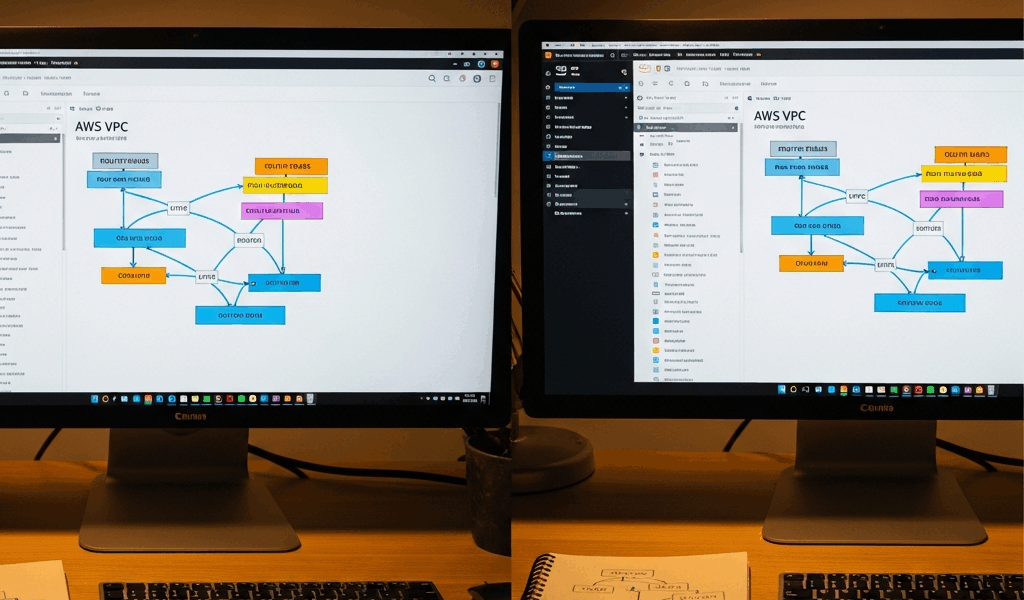
Why VPC Peering Breaks in the First Place
AWS VPC peering has gotten complicated with all the silent failures and misleading console statuses flying around. As someone who has spent enough Saturday afternoons with a production database on one VPC refusing to talk to an application server on another, I learned everything there is to know about these failure modes. Today, I will share it all with you.
Three culprits cause basically every peering headache I’ve encountered. Missing route table entries — that’s the big one. You create the peering connection, it shows Active, and then silence. Dead traffic. No error. Nothing. The second is overlapping CIDR blocks, which AWS rejects without any real explanation, leaving you staring at a connection that technically exists but accomplishes absolutely nothing. Third is unaccepted requests — especially brutal in cross-account setups where acceptance has to happen inside a completely different AWS account.
Each one needs a different fix. So, without further ado, let’s dive in.
Fix 1 — Check and Update Both Route Tables
This is the showstopper. Honestly, I’d check route tables first even before confirming the peering connection is Active. That’s how often this is the problem.
Here’s the scenario: VPC-A and VPC-B get a peering connection. Status goes Active. You add a route in VPC-A pointing traffic toward VPC-B’s CIDR block — pcx-xxxxxxxx as the target, everything looks right. You test. Nothing works. Then you look at VPC-B’s route table and realize the reciprocal route back to VPC-A never got added. Traffic moves one direction only. That’s what makes route tables so maddening — the connection looks fine and the problem hides somewhere completely different.
Don’t make my mistake. I once burned two full hours troubleshooting connectivity before realizing I’d added the route to the wrong subnet’s route table. The instance sat in a subnet I hadn’t touched. Check which subnets your instances actually live in, then verify those specific route tables.
In the console: VPC > Route Tables, select the relevant table, open the Routes tab. You need a Destination matching the peer VPC’s CIDR block and a Target showing the peering connection ID — format is pcx-xxxxxxxx. Do this for both VPCs.
Via CLI, this command tells you everything:
aws ec2 describe-route-tables --region us-east-1 --query 'RouteTables[?Tags[?Key==`Name`]].{Name:Tags[0].Value,Routes:Routes}' --output tableScan that output for both directions — VPC-A to VPC-B and VPC-B back to VPC-A. Missing one direction is the most common setup error I see.
To add a missing route:
aws ec2 create-route --route-table-id rtb-xxxxxxxx --destination-cidr-block 10.1.0.0/16 --vpc-peering-connection-id pcx-xxxxxxxx --region us-east-1Swap rtb-xxxxxxxx for your actual route table ID, 10.1.0.0/16 for the peer VPC’s CIDR, and pcx-xxxxxxxx for your real peering connection ID. Run it for every route table that needs the entry — and that’s usually both of them.
Fix 2 — Overlapping CIDRs and How to Spot Them
But what is a CIDR overlap in VPC peering context? In essence, it’s two VPCs claiming ownership of the same IP address space. But it’s much more than that — it’s a hard blocker with no workaround that doesn’t involve significant re-architecture.
AWS silently rejects peering when CIDR blocks overlap. Not a clean error on creation — the request just hangs or fails quietly during acceptance. Infuriating to diagnose if you don’t know to look here.
Pull your VPC CIDR ranges fast:
aws ec2 describe-vpcs --region us-east-1 --query 'Vpcs[].{VpcId:VpcId,CidrBlock:CidrBlock}' --output tableLook at both peering VPCs in that output. If VPC-A runs 10.0.0.0/16 and VPC-B runs 10.0.5.0/24 — overlap. Peering won’t work. Full stop.
Overlapping ranges mean peering is off the table. You can’t modify a VPC’s CIDR block retroactively once resources are running inside it. The path forward is either re-architecting subnet ranges — painful — or pivoting to AWS Transit Gateway or PrivateLink entirely. That’s a different conversation, but know those options exist when overlapping CIDRs block you.
Fix 3 — Pending Acceptance and Cross-Account Peering Gaps
Peering requests expire after seven days if nobody accepts them. That’s what makes cross-account setups particularly rough — requests go from Account A into Account B, and small teams frequently don’t realize explicit acceptance has to happen inside Account B. The request just sits there aging out.
Probably should have opened with this section, honestly. It’s caused more confusion than the other two combined in cross-account environments.
Console check: VPC > Peering Connections, look at the Status column. “Pending Acceptance” means nobody accepted it yet. “Expired” means seven days passed and it’s gone.
CLI check:
aws ec2 describe-vpc-peering-connections --region us-east-1 --query 'VpcPeeringConnections[].{PeeringId:VpcPeeringConnectionId,Status:Status.Code,RequesterVpc:RequesterVpcInfo.VpcId,AccepterVpc:AccepterVpcInfo.VpcId}' --output table“active” means it’s working. “pending-acceptance” means action required. “expired” means start over.
To accept a cross-account request, switch into the target AWS account first, then run:
aws ec2 accept-vpc-peering-connection --vpc-peering-connection-id pcx-xxxxxxxx --region us-east-1Here’s where teams get tripped up — the IAM role or user in that target account needs ec2:AcceptVpcPeeringConnection permission explicitly. Restrictive IAM policies block it silently. Add this to the policy in the target account:
{
  "Effect": "Allow",
  "Action": [
    "ec2:AcceptVpcPeeringConnection",
    "ec2:DescribeVpcPeeringConnections"
  ],
  "Resource": "*"
}
I’m apparently someone who learned this the hard way — the cross-account IAM gap burned me before I knew to check it proactively. Verify the target account’s permissions before creating the peering request. Always. That’s what makes this step endearing to us infrastructure folks who have done it wrong once and never again.
Quick Checklist Before You Give Up
- Route tables on both sides have entries pointing to the peering connection ID for the peer CIDR block
- Peering connection status is Active — not Pending, not Expired
- VPC CIDR blocks do not overlap at all
- Cross-account acceptance has actually happened inside the target account if this is cross-account peering
- Security groups on your instances allow traffic on the ports you’re testing — port 443 for HTTPS, 5432 for PostgreSQL, 3306 for MySQL, etc.
- Network ACLs on both VPCs allow inbound and outbound traffic on your test ports
- DNS resolution is enabled if you’re using private hostnames — VPC peering doesn’t resolve DNS by default and that catches people constantly
Run through this top to bottom. Most individual fixes take under five minutes. You’ll resolve AWS VPC peering not working in under twenty — at least if you work through the list in order rather than jumping around based on gut feel.



Stay in the loop
Get the latest team aws updates delivered to your inbox.