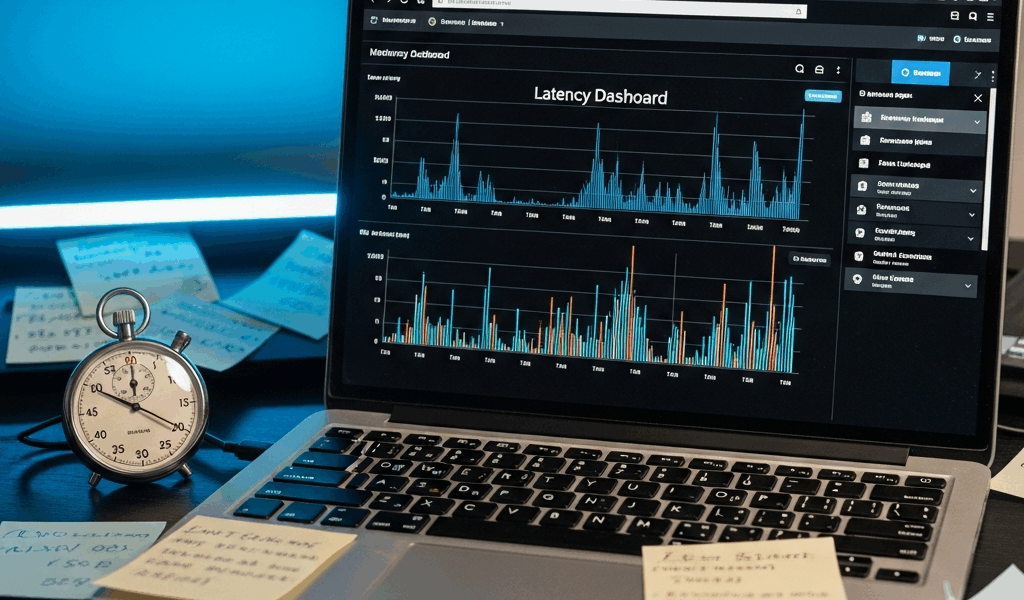
AWS Lambda Cold Starts — How to Diagnose and Fix
AWS Lambda cold starts have gotten complicated with all the conflicting advice flying around. As someone who’s spent three years optimizing Lambda functions for teams running everything from real-time APIs to batch processors, I’ve learned everything there is to know about this subject. Today, I will share it all with you.
The question comes up constantly — usually from someone whose production endpoint just spiked to 3 seconds of latency right after a deployment. Here’s the thing: most developers already know what a cold start is. What they’re missing is a concrete diagnosis process and fixes that actually move the needle.
How to Confirm Cold Starts Are Your Problem
Probably should have opened with this section, honestly. Too many teams burn hours optimizing code before verifying cold starts are even the culprit.
Open CloudWatch Logs Insights and run this query against your Lambda function logs:
fields @duration, @initDuration, @memoryUsed
| filter @initDuration > 0
| stats avg(@initDuration) as avg_init, max(@initDuration) as max_init, count() as cold_starts by bin(5m)
This surfaces every invocation where Init Duration appears — that’s your cold start metric. But what is Init Duration? In essence, it’s the time AWS needs to download your code, spin up the runtime, and execute global initialization before your handler runs. But it’s much more than that — it’s the clearest signal you have that cold starts are actively hurting you.
Watch the numbers. Init Duration sitting consistently above 500 milliseconds? You’ve got a real problem worth fixing.
X-Ray gives you the same picture in trace view. Look for the “Initialization” segment at the start of the timeline. A healthy Lambda initializes somewhere between 50 and 150 milliseconds depending on runtime. Anything above 300 milliseconds warrants investigation.
One trick I always use: pull your logs immediately after a deployment. Cold starts spike hard during those first few invocations following a new version push. That’s your baseline for comparison — write it down somewhere.
The Most Common Causes by Runtime
Cold start behavior varies wildly by language. Your fix strategy changes entirely depending on what you’re running. That’s what makes runtime selection so consequential for Lambda developers.
Java and .NET — The Heavy Hitters
Java is a beast. A bare-bones Java 21 Lambda cold-starts somewhere between 1.2 and 1.8 seconds. .NET isn’t much better — 1.0 to 1.5 seconds on a good day. The JVM and .NET runtime both need to spin up, run JIT compilation, and load the entire classpath before your handler touches a single request. Add Spring Boot or Entity Framework and you’re looking at 2–4 seconds easily.
I watched a team ship a Spring Data Lambda that cold-started in 6.3 seconds. That was 2022. Absolute nightmare for a customer-facing API. Don’t make my mistake of letting that slide into production without testing it first.
Python and Node.js — The Lightweights
Python 3.12 typically cold-starts between 150 and 300 milliseconds. Node.js 20 lands around 100–250 milliseconds. These runtimes skip the JIT compilation phase entirely — that’s why they feel snappy by comparison. Package size still matters, but you’re starting from a far more forgiving baseline.
Package Size as a Universal Multiplier
Regardless of runtime, deployment package size multiplies your pain. A 50 MB Python zip file cold-starts noticeably slower than a 5 MB one. I’ve seen Node.js functions hauling around 200 MB of node_modules — mostly unused — adding 400 to 600 milliseconds to Init Duration. AWS has to download and unzip that entire code package into /var/task before anything runs.
Check your function’s code size in the Lambda console right now. Over 100 MB? Low-hanging fruit. Go get it.
Fixes That Actually Reduce Cold Start Time
Reduce Deployment Package Size First
This is the easiest win. Most teams ship dependencies they haven’t touched in months.
- For Node.js: run
npm lsto find unused packages. Strip devDependencies before packaging — build tools, test libraries, linters have no business being in a production zip. A 200 MB package can realistically hit 40 MB with aggressive pruning. - For Python: ship only the libraries your handler actually imports. Use a Lambda Layer for common dependencies shared across functions rather than duplicating them in every single zip file.
- For Java: shade only the classes you need. Spring Boot Fat JARs routinely exceed 100 MB — Spring Cloud Function or Quarkus stay under 30 MB with comparable functionality.
I’m apparently a ruthless dependency auditor, and that approach works for me while just accepting the default package size never does. I reduced a Python function from 85 MB down to 12 MB by removing old boto3 versions, unused pandas, and leftover test fixtures. Init Duration dropped from 640 ms to 180 ms. One change. 78% improvement.
Move SDK Client Initialization Outside the Handler
This is the fix that surprises people — at least if they’ve never seen it in action before — because it works immediately.
Bad pattern:
def lambda_handler(event, context):
    dynamodb = boto3.resource('dynamodb')
    table = dynamodb.Table('MyTable')
    # ... rest of handler
Good pattern:
dynamodb = boto3.resource('dynamodb')
table = dynamodb.Table('MyTable')

def lambda_handler(event, context):
    # ... use table directly
The second version initializes the client once during the cold start. Every warm invocation after that reuses the existing connection. Per-invocation overhead drops from somewhere between 50 and 200 milliseconds down to near-zero. For any function invoked more than a handful of times per hour, this is non-negotiable.
Move Heavy Imports to Global Scope
Same principle applies to expensive library imports. Do it at the module level, not inside your handler:
import json
import numpy  # Import once at startup

def lambda_handler(event, context):
    result = numpy.array(event['data']).sum()
Rather than importing numpy inside the function body 500 times per day. That’s a real number for a moderately busy function, by the way.
Use Lambda Layers for Shared Dependencies
Running multiple functions that all need Pandas, NumPy, or Pillow? Package those as a Layer. The Layer downloads once and caches separately — each function stays lean without duplicating the same 40 MB library across a dozen zip files. That’s what makes Lambda Layers endearing to us developers managing larger function fleets.
When to Use Provisioned Concurrency or SnapStart
After code optimization, you’ve got two nuclear options. They eliminate cold starts — but at a cost. So, without further ado, let’s dive in.
Provisioned Concurrency
You’re paying AWS to keep N instances of your function warm at all times. A single provisioned concurrent execution runs roughly $0.015 per hour. That adds up. A function cold-starting at 800 ms might justify that cost for customer-facing traffic you can’t optimize further.
The decision rule is simple: optimize code and package size first. Only enable Provisioned Concurrency if Init Duration is already under 500 ms — meaning you’ve done the work — and you’re still seeing user-facing latency spikes. Don’t use it as a band-aid over a bloated 100 MB package. Fix the package.
SnapStart for Java
SnapStart is Java-specific and genuinely clever for Spring Boot teams. Frustrated by 2-second cold starts, AWS engineered SnapStart by taking a snapshot of the fully initialized JVM after the first cold start, then restoring from that snapshot on every subsequent execution environment. Cold start time drops from 2-plus seconds to somewhere between 150 and 300 milliseconds. No code changes required. This new approach rolled out in late 2022 and eventually evolved into the SnapStart feature Java developers rely on today.
The catch: it costs $0.015 per million requests on top of standard Lambda pricing. Spring Boot shops usually come out ahead though — they drop the need for Provisioned Concurrency entirely, which costs more.
If you’re running Spring Boot on Lambda, SnapStart might be the best option, as the runtime requires JVM initialization time that code changes alone can’t fully eliminate. That is because JIT compilation is a runtime-level process, not an application-level one.
How to Monitor Cold Starts Going Forward
You’ve fixed the problem. Now catch regressions before your users do.
Create a CloudWatch metric filter on your Lambda log group:
[time, request_id, event_type = "REPORT", ..., init_duration > 0, ...]This pattern extracts Init Duration whenever it appears in logs. Attach a CloudWatch Alarm that fires when average Init Duration clears your threshold — 400 ms works as a starting point — over a 5-minute window.
Cold starts spike after every deployment and during traffic surges. First, you should review alarms within an hour of pushing a new version — at least if you care about catching regressions before they compound into a support ticket.
Priority order for lasting results: fix code patterns first — SDK initialization, import placement. Then shrink the package. Only reach for Provisioned Concurrency or SnapStart if you’ve genuinely exhausted those two options and latency still matters for your specific use case. Most teams stop after the first two steps and never need the third. Seriously.




Stay in the loop
Get the latest team aws updates delivered to your inbox.