
Understanding AppStream: A Reliable Application Streaming Solution
Application streaming has gotten complicated with all the VDI options, browser compatibility issues, and latency concerns flying around. As someone who’s deployed Amazon AppStream 2.0 for remote workers across multiple AWS regions, I learned everything there is to know about making desktop applications accessible from anywhere. Today, I will share it all with you.
AppStream is a technology designed to enable the streaming of applications to users over the internet. Originally developed by Amazon Web Services (AWS), it allows businesses and individuals to run applications without needing to install them on local devices. This offers flexibility and scalability, making it a valuable tool for many organizations—especially those dealing with remote teams or BYOD policies.
How AppStream Works
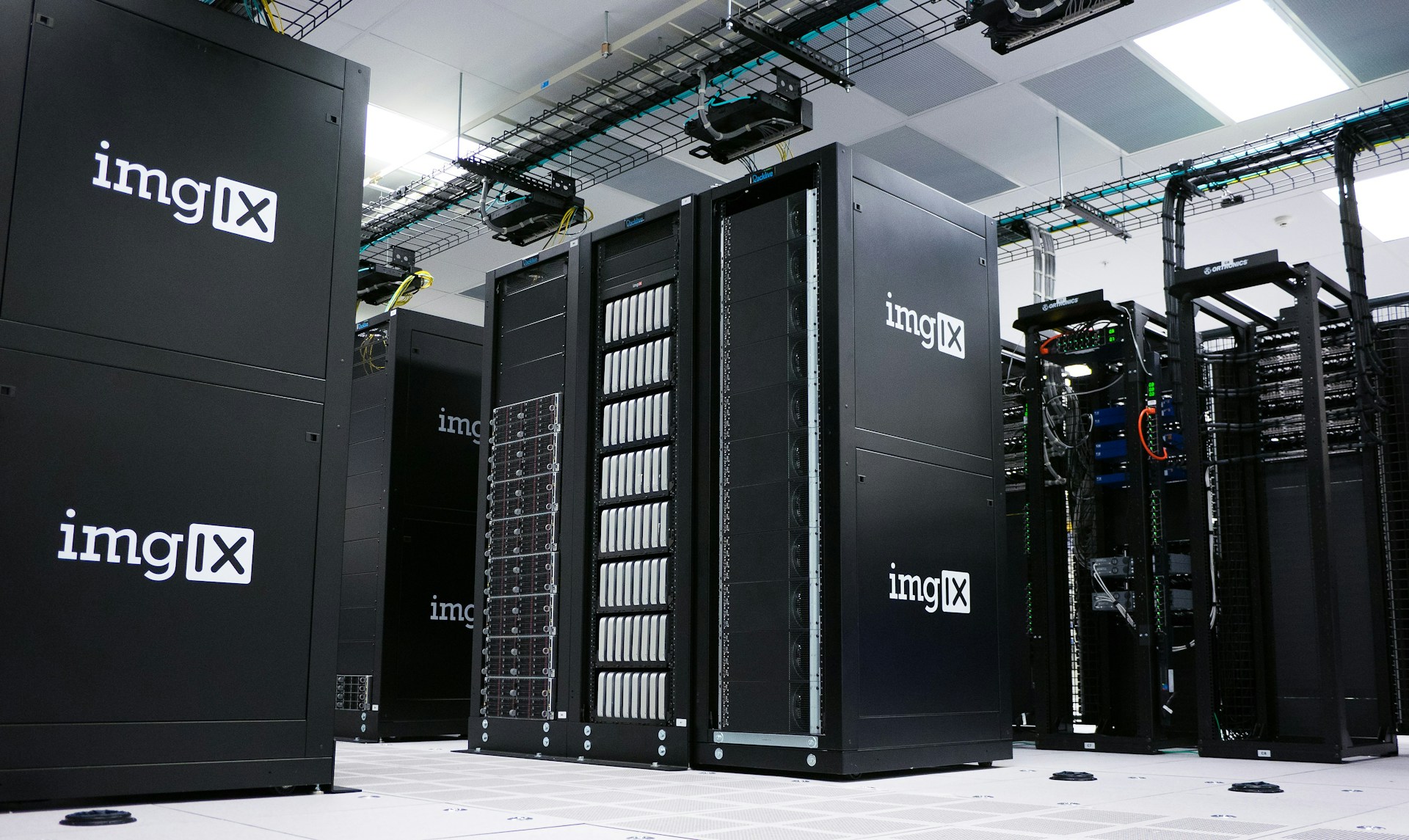
AppStream uses the cloud to host applications. Users can access these applications through a web browser. This eliminates the need for powerful hardware or large storage on user-end devices. AWS ensures that the infrastructure is robust, secure, and able to handle multiple concurrent users.
Probably should have led with this section, honestly—understanding the architecture makes the value prop much clearer.
When a user requests access to an application, AppStream dynamically provisions an instance of that application in the cloud. This instance runs the application and sends the user interface visuals to the user’s device. The user interacts with the application as if it were installed locally. This seamless experience is achieved through low-latency streaming technology—though your mileage may vary depending on network conditions.
Benefits of Using AppStream
- Device Compatibility: AppStream runs on various devices, including desktops, laptops, and tablets. Users only need a modern web browser to access their applications. I’ve seen it work on everything from Chromebooks to iPads.
- Cost Efficiency: Organizations save on costs associated with hardware upgrades. There’s no need to invest in high-spec machines since processing happens in the cloud. Your finance team will love this part.
- Scalability: AppStream can scale up to handle more users as needed, without requiring additional infrastructure investments. Spin up new instances during peak demand, scale down during quiet periods.
- Security: Data isn’t stored on end-user devices. This reduces security risks, as sensitive information remains in the cloud. No more worrying about someone’s lost laptop containing proprietary data.
- Ease of Management: IT teams find it easier to manage applications. Updating or patching applications becomes a straightforward process—no more pushing updates to hundreds of individual machines.
Use Cases
AppStream is versatile in its application. Educational institutions use it to stream software required for courses, enabling students to access applications from personal devices. This ensures equity in access to educational tools—not every student can afford a machine capable of running AutoCAD or MATLAB.
Businesses use AppStream for delivery of enterprise applications to remote workers. This became especially relevant during the global shift to remote work. Organizations can rapidly provision access to necessary tools, keeping operations running smoothly. I’ve deployed AppStream stacks for everything from CAD software to legacy Windows applications that refuse to die.
AppStream also supports the application testing process. Developers can test applications across different configurations without setting up multiple test environments. It simplifies cross-platform compatibility checks significantly.
Getting Started with AppStream
To start using AppStream, an AWS account is needed. Once signed up, users can access the AWS Management Console to deploy AppStream. AWS provides detailed documentation and guides to assist new users—though fair warning, the initial learning curve is steeper than some other AWS services.
Creating a fleet and stack is the next step. A fleet is a collection of virtual machines configured for streaming applications. The stack defines the user interface and permissions. Admins can customize these to suit organizational needs. Think of fleets as the compute power and stacks as the access layer.
After setting up the infrastructure, applications are installed using a standard Windows install process. The AppStream agent captures these applications for streaming. Once captured, applications are ready for users. It’s surprisingly straightforward once you get past the initial configuration.
Considerations When Using AppStream
Latency is a critical factor. Although designed to minimize lag, distances between users and AWS data centers can affect performance. Testing and optimizing network settings can mitigate some latency issues. I always recommend running pilot tests with users in different geographic regions before rolling out enterprise-wide.
Cost control is another consideration. As a pay-as-you-go service, AWS allows users to budget based on usage. Monitoring via AWS CloudWatch can help keep tabs on spending. Analyzing usage trends can inform long-term budget planning. Trust me, you want to set up billing alerts before you let users loose on GPU-enabled instances.
Security protocols must be followed. While AppStream inherently boosts security by not storing data on end-user devices, organizations still need to enforce strong identity management practices. AWS offers Identity and Access Management (IAM) tools to help with user access control. Integrate with your existing Active Directory for seamless authentication.
The Future of Application Streaming
Application streaming is gaining traction as cloud computing advances. AppStream’s role in this growth is pivotal, providing a model for seamless application delivery. As organizations increasingly adopt cloud-first strategies, technologies like AppStream empower them to achieve greater agility and efficiency.
That’s what makes AppStream endearing to us cloud engineers—it solves the “how do we get this legacy Windows app to remote workers” problem without forcing everyone to VPN in and remote desktop to shared servers.
Improved internet infrastructures worldwide will enhance AppStream’s effectiveness and adoption rate. As 5G technology rolls out, users can expect even lower latency and better performance, further reducing the gap between streamed and locally run applications.
Advanced Features of AppStream
AppStream supports session scripts for automation during start and stop operations. This allows for customizable user experiences. Admins can automate tasks and deploy settings, reducing manual configuration efforts. I’ve used session scripts to mount S3 buckets, configure printers, and set up VPN connections automatically.
AppStream’s integration capabilities enrich its functionality. It integrates with Active Directory, simplifying user management. This makes it easier for enterprises to implement AppStream within their existing network landscapes. Single sign-on just works, which is always a relief.
Many organizations benefit from the load balancing features. AppStream automatically distributes traffic across available resources, optimizing performance and ensuring a consistent user experience even during peak usage. No more “everyone’s slow on Monday morning” complaints.
Challenges and Limitations
Despite its advantages, AppStream isn’t without challenges. The initial setup might seem daunting for those unfamiliar with AWS services. However, AWS documentation and community forums can provide necessary support to alleviate this learning curve. The AWS subreddit has been surprisingly helpful when I’ve gotten stuck.
Applications requiring extensive GPU resources might face limitations. While AWS offers GPU-enabled instances, these come with higher costs. Assessing the needs against available budgets is crucial. Those g4dn.xlarge instances add up fast.
Another challenge lies in change management. Organizations transitioning to AppStream need to prepare for internal workflows adjustments. This may involve training staff and redefining procedures to maximize the new system’s benefits. User adoption isn’t automatic—you need to sell the benefits internally.
Industry Adoption
Industries like healthcare are embracing application streaming to improve service delivery. For example, medical applications, often resource-intensive, are streamed to lightweight devices like tablets. Doctors can access patient records and diagnostic tools from anywhere in the hospital.
The graphic design industry also benefits. Designers require access to heavy software like Adobe Creative Suite, which runs efficiently via AppStream on standard hardware. No more $3,000 workstations for every designer.
Education sectors utilize AppStream to democratize access to specialized educational software, ensuring all students, regardless of their personal device capabilities, have access. This levels the playing field in ways that weren’t possible before cloud streaming.
Impact on Traditional Software Deployment
AppStream represents a shift away from traditional software installation. This can reduce IT overhead in managing software deployment and maintenance. The resulting refined processes free up resources for innovation—your IT team can focus on new projects instead of pushing patches.
Cloud-first policies are increasingly a corporate standard. This transition aligns with modern IT infrastructures, combining flexibility with robustness that legacy systems often lack. The “install it locally” era is gradually ending.
Ultimately, application streaming might redefine how software is delivered and consumed, echoing broader trends in digital transformation. We’re watching it happen in real time.



Stay in the loop
Get the latest wildlife research and conservation news delivered to your inbox.