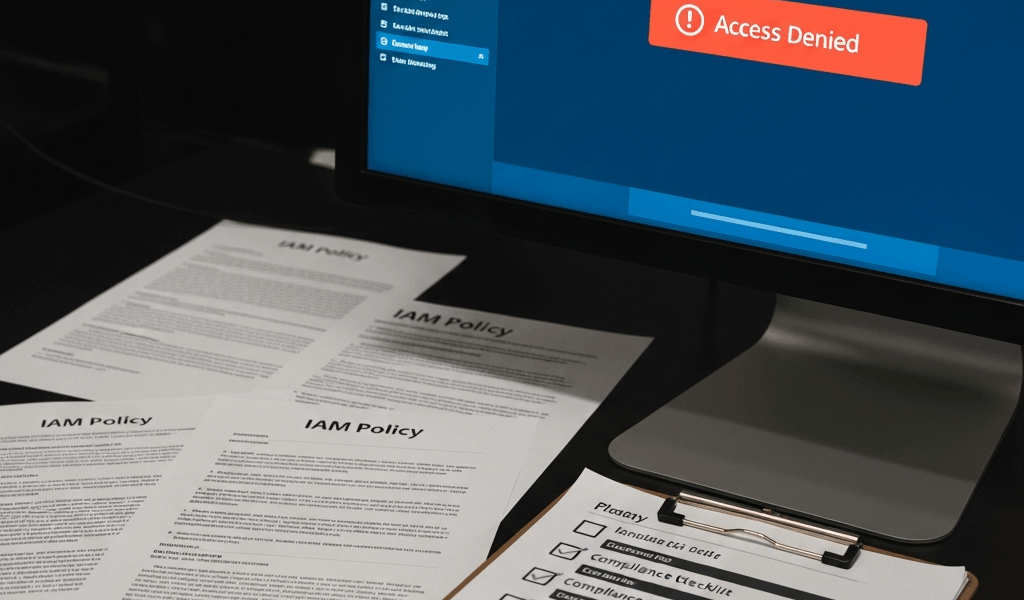
Why Access Denied Happens with Secrets Manager
Secrets Manager permission failures have gotten complicated with all the hidden layers flying around. I spent three weeks debugging these in a DoD compliance environment before I realized access could fail silently at three completely separate points. The error message stays identical — “User is not authorized to perform: secretsmanager:GetSecretValue” — regardless of which layer is actually blocking you.
As someone who’s buried in government deployments, I learned everything there is to know about where this breaks. First failure point: your IAM policy is missing the actual permissions. You granted secretsmanager:GetSecretValue but forgot secretsmanager:DescribeSecret, or your resource ARN is too narrow. Second: the secret itself has a resource-based policy attached that denies your principal — this is sneaky because it overrides IAM permissions entirely. Third: if the secret uses a custom KMS key, you need kms:Decrypt on that key’s policy. Missing it looks exactly like a Secrets Manager permission error.
In government deployments, you’ll also hit VPC endpoint policy restrictions that can block access even when IAM is perfect. Today, I’ll share how to fix all of them.
Fix 1 — Add the Required IAM Permissions
Start here. This solves 60% of access denied problems.
Your principal — a role, user, or service — needs explicit permission to read the secret. At minimum: secretsmanager:GetSecretValue and secretsmanager:DescribeSecret. You should also include secretsmanager:ListSecrets if your application needs to enumerate them, at least if you want the enumeration to actually work.
Here’s the exact policy block I use for read-only Secrets Manager access:
{
  "Version": "2012-10-17",
  "Statement": [
    {
      "Effect": "Allow",
      "Action": [
        "secretsmanager:GetSecretValue",
        "secretsmanager:DescribeSecret"
      ],
      "Resource": "arn:aws:secretsmanager:us-gov-west-1:123456789012:secret:prod/database/password-*"
    }
  ]
}
Notice the wildcard at the end of the ARN. Secrets Manager attaches version suffixes automatically — something like `-ABC123`. If you use an exact ARN without the wildcard, the permission applies only to one version and subsequent rotations fail silently.
Probably should have opened with this, honestly. I’ve seen teams spend hours debugging resource policies when their IAM statement was just missing the version suffix. The error message doesn’t tell you the ARN didn’t match.
One common mistake: forgetting that the secret name in your resource ARN must match exactly how AWS names it. If your secret is called “prod/database/password”, use that exact path — no shortcuts, no variations. Typos here won’t trigger validation errors. They’ll just deny access silently and leave you staring at logs for days.
Fix 2 — Check and Update Resource-Based Policies
Secrets Manager supports resource-based policies. Even if your IAM policy is absolutely perfect, a restrictive resource policy on the secret itself will block access — that’s what makes resource policies endearing to security teams in compliance environments.
Check what policy is attached to your secret using the AWS CLI:
aws secretsmanager get-resource-policy
  --secret-id prod/database/password
  --region us-gov-west-1
If no policy is attached, you’ll get an empty response. If one exists and it denies your role or includes a condition you don’t understand, that’s your culprit right there.
In government accounts with strict security boundaries, the resource policy often contains an explicit deny for all principals outside a specific AWS Organization unit. Here’s an example policy that grants access to a specific role:
{
  "Version": "2012-10-17",
  "Statement": [
    {
      "Sid": "AllowSpecificRole",
      "Effect": "Allow",
      "Principal": {
        "AWS": "arn:aws:iam::123456789012:role/ApplicationRole"
      },
      "Action": "secretsmanager:GetSecretValue",
      "Resource": "*"
    }
  ]
}
Set this policy using:
aws secretsmanager put-resource-policy
  --secret-id prod/database/password
  --resource-policy file://policy.json
  --region us-gov-west-1
Resource-based policies are the gotcha in compliance environments — the kind of thing that makes you question your career choices at 2 AM. The GuardRail policies that prevent overly permissive access often inadvertently block legitimate service-to-service calls. Don’t make my mistake of assuming your resource policy is empty.
Fix 3 — Verify KMS Key Permissions
If your secret is encrypted with a customer-managed KMS key — instead of the AWS-managed key — you need kms:Decrypt permission on that key. This is the silent killer I mentioned earlier. No error message points you here.
First, find which key encrypts your secret:
aws secretsmanager describe-secret
  --secret-id prod/database/password
  --region us-gov-west-1
  --query 'KmsKeyId'
You’ll get a KMS key ARN back, like arn:aws:kms:us-gov-west-1:123456789012:key/12345678-1234-1234-1234-123456789012. If the key ID is something like alias/aws/secretsmanager, you’re using AWS-managed encryption. Skip this section entirely. Otherwise, your role needs explicit KMS permissions — no way around it.
Add this statement to your role’s permissions policy:
{
  "Effect": "Allow",
  "Action": [
    "kms:Decrypt",
    "kms:DescribeKey"
  ],
  "Resource": "arn:aws:kms:us-gov-west-1:123456789012:key/12345678-1234-1234-1234-123456789012"
}
But wait — the KMS key’s policy itself also needs to grant your principal permission. Check the key policy:
aws kms get-key-policy
  --key-id arn:aws:kms:us-gov-west-1:123456789012:key/12345678-1234-1234-1234-123456789012
  --policy-name default
  --region us-gov-west-1
Look for a statement that allows kms:Decrypt for your role. If it’s missing, add it using put-key-policy. In government accounts — and this is important — KMS policies are often locked down with explicit denial statements that override role-based permissions entirely. Check for those first.
Fix 4 — VPC Endpoint Policy Restrictions
If your application runs inside a VPC and accesses Secrets Manager through a VPC endpoint, the endpoint policy itself can block access. It doesn’t matter if everything else is correct. The endpoint policy is a fourth checkpoint that most documentation skips entirely.
Check your endpoint policy:
aws ec2 describe-vpc-endpoints
  --filters Name=service-name,Values=com.amazonaws.us-gov-west-1.secretsmanager
  --region us-gov-west-1
Look for the PolicyDocument field. If it’s missing or shows a restrictive deny statement, that’s blocking you. A default permissive endpoint policy looks like this:
{
  "Statement": [
    {
      "Principal": "*",
      "Action": "*",
      "Effect": "Allow",
      "Resource": "*"
    }
  ]
}
If your endpoint policy has explicit conditions or principals, make sure your application’s security group is covered. Many government networks use VPC endpoints to create isolated access — if the endpoint is locked to a specific security group or subnet, but your application is in a different one, you’ll get access denied. It happens more often than you’d think.
To modify the endpoint policy, use:
aws ec2 modify-vpc-endpoint
  --vpc-endpoint-id vpce-12345678
  --policy-document file://endpoint-policy.json
  --region us-gov-west-1
In compliance deployments, VPC endpoints are standard because they keep API traffic off the public internet. But they add a fourth layer of policy checking that generic AWS documentation often skips over entirely.
Test Your Fix Quickly
Once you’ve applied one or more fixes, test immediately. Use this command to fetch the secret:
aws secretsmanager get-secret-value
  --secret-id prod/database/password
  --region us-gov-west-1
Success looks like this:
{
    "ARN": "arn:aws:secretsmanager:us-gov-west-1:123456789012:secret:prod/database/password-ABC123",
    "Name": "prod/database/password",
    "VersionId": "12345678-1234-1234-1234-123456789012",
    "SecretString": "{"username":"admin","password":"..."}"
}
If you’re still getting access denied, run the test again with the --debug flag. It will show you exactly which AWS API call is failing and why.
If your secret has multiple versions and you’re rotating credentials, test with the --version-id flag to check specific versions:
aws secretsmanager get-secret-value
  --secret-id prod/database/password
  --version-id 12345678-1234-1234-1234-123456789012
  --region us-gov-west-1
Version-related access denied errors usually mean your IAM policy is using an exact ARN instead of the wildcard pattern I mentioned earlier. Go back and add the -* suffix to your resource ARN — at least if you want rotations to work going forward.
Work through these four fixes in order: IAM policy first, then resource-based policy, then KMS permissions, finally VPC endpoint policy. Ninety percent of the time, one of the first two solves it. The other 10% splits between missing KMS permissions and endpoint policy misconfiguration. In government systems where isolation is the default, endpoint policies are surprisingly common culprits — I’m apparently the type who gets surprised by this and AWS GuardRails work for me while generic AWS documentation never addresses it.



Stay in the loop
Get the latest team aws updates delivered to your inbox.